Genuine native replacement
The English test replaces “Delivery date: 2026-10-22” with “Delivery date: 2026-10-23”. It changes the original PDF text itself, without covering it with a white rectangle. The saved result is checked for removal of the old date and searchable new text.
Technical font and text requirements
Independent horizontal Tj commands in standard Type1 ASCII and embedded TrueType / Identity-H Type0 with ToUnicode are supported. Korean and mixed replacements use NanumGothic at the original size and must fit its width and height. TJ arrays, vertical text, unmapped fonts, scans, hidden OCR and complex graphics states are unsupported.
Images and new text
Choose a PNG/JPEG, drop it or press Ctrl+V. The file picker remains available if clipboard permission is denied. Edit position and dimensions in millimeters and lock the original aspect ratio. New text embeds NanumGothic or Noto Sans SC/JP according to the document language. Your text is not automatically translated, and native replacement retains its existing support limits.
Editing and saving
- Open a PDF and read the preflight result.
- Choose an original text region or add a new text box or image.
- Review the original and saved PDF side by side.
- The download uses the exact checked bytes and does not overwrite the original.
Preservation limits
This version blocks editing and export for forms, annotations and links, outlines, signatures and special page boxes because safe editing has not been demonstrated. Encrypted PDFs are not opened. Secure redaction, OCR and translation are not provided.
Selecting text on the page
Choose Original text, then click an outlined region or use Tab and Enter. The right-hand list remains available. Overlapping phrases, split lines and scans have no direct selection targets. Compare the old and new text and acknowledge NanumGothic substitution before applying. Cancel discards uncommitted input.
Why Word or Chrome exports can be view-only
Some exports contain StructTreeRoot tags, links, annotations or complex text commands. Tags encode reading order and accessibility; the app does not strip them. Edit a view-only document in its source program. An untagged separate copy can still fail font/operator checks. Allowing a new text box does not imply that native replacement is supported.
Before opening a 40 MiB file
40 MiB and 100 pages are input ceilings on desktops reporting sufficient capacity. The 40 MiB mixed-document run on 23 October 2026 sampled up to 1,594.33 MiB (about 1.56 GiB) of Chrome process private memory. This is an observation from that run, not a memory ceiling for all documents. Mobile devices, devices reporting 4 GB or less, and unknown-capacity devices use 10 MiB / 50-page limits. These caps cannot guarantee crash prevention. Reduce large source photos and save your project first.
Slow processing and recovery
Cancel processing restores the last validated draft. Review reports the actual page count as rendering proceeds; unknown progress is not guessed as a percentage. After an error, restore the last valid draft or shorten the replacement and retry. A whole-browser crash loses unsaved in-memory changes.
Original authored inputs and saved outputs
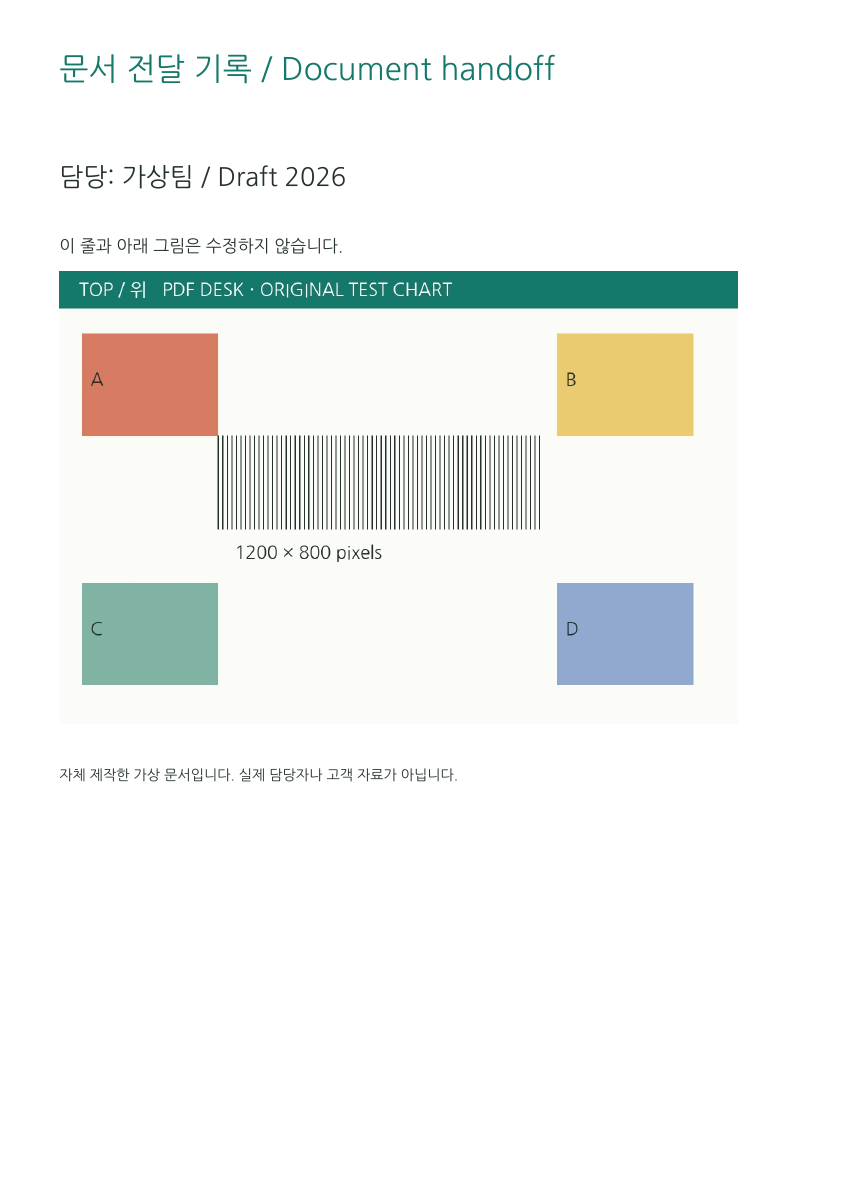
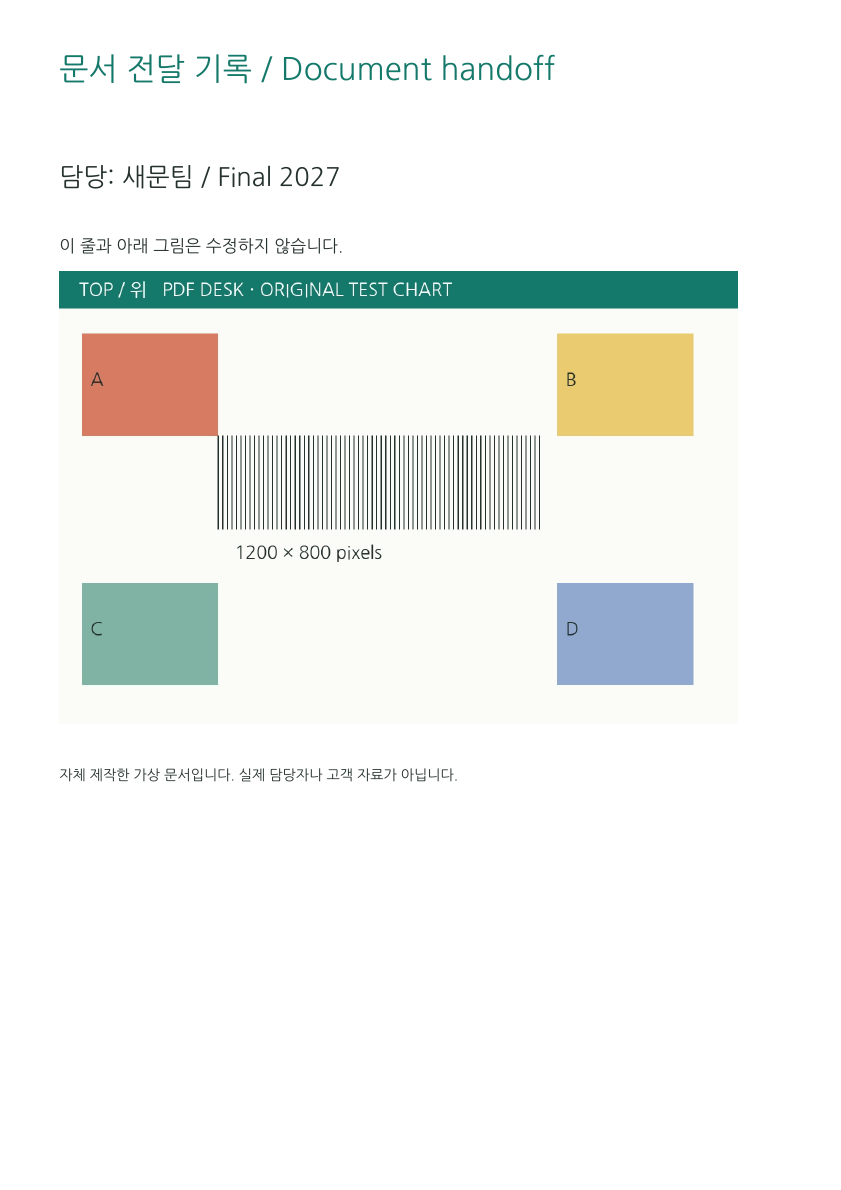
The source phrase 가상팀 / Draft 2026 was actually replaced with 새문팀 / Final 2027. Independent parsing and rendering check removal, search and untouched regions. This does not imply universal editing support.
Before and after editing an English date
A one-page example changing the original date from 2026-10-22 to 2026-10-23.
Before and after editing mixed Korean and English · embedded TrueType
The phrase on the first page of a two-page source is changed using a substitute font.
Before and after editing Korean text · Type0
A one-page example with a different font structure. The edit uses a substitute font; it does not mean every Type0 document is supported.
Image input and the result after repositioning
The PNG below was inserted into the English source above and moved into unused space. The PNG is the input image; the PDF shows its placement.
Korean substitution conditions and reproduction steps · Fixing image overlap